
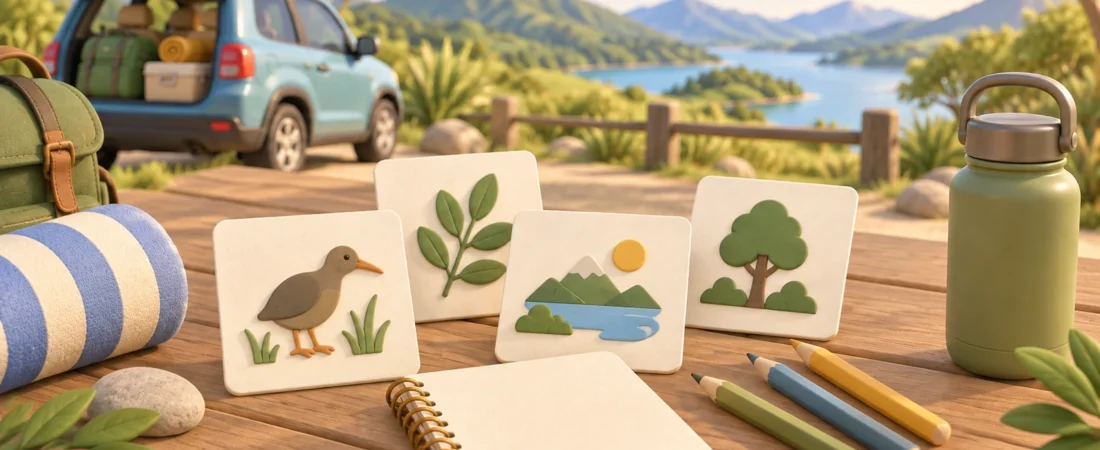
Screen-free activities can be useful on a New Zealand road trip without becoming a rule for the whole journey. Think of them as a few low-prep options for the moments when children want something to notice, draw, invent or talk about.
The easiest way to plan them is by context. An idea that works in the passenger seat may be awkward at a meal stop, while a short-walk prompt needs a current check of the place and conditions. This guide organises activities for before leaving, the passenger seat, a parked stop, a short walk and a meal stop.
One boundary applies throughout: passengers can take part while the vehicle is moving; the driver cannot. The driver should not referee a game, look for clues, handle activity materials, or change route, music or phone controls while driving. NZ Transport Agency guidance says driving needs full attention and recommends setting the route and other controls before departure, then pulling over and parking safely if they need to be changed.
Before leaving: make a small choice-based activity kit
Preparation does not need to mean printing a thick workbook. A small kit can hold:
- plain paper or a notebook;
- pencils or crayons;
- a clipboard or firm backing;
- a few blank cards; and
- one reusable pouch for packing everything away.
Choose a handful of prompts rather than trying to fill every part of the drive. Children can help select the formats before departure, which keeps the plan flexible without asking the driver to make new activity decisions on the road.
Prepare a three-part lookout page
Divide a page into three columns labelled colour, shape and movement. Passengers can draw or write one example in each column as the landscape changes. Keep the clues generic rather than promising that a particular animal, landmark or roadside feature will appear.
For children who prefer less writing, use circles to mark each find. For anyone who wants more detail, leave space to add a short description or turn the observations into a story later.
Make a route word bank
Write a short list of words already visible in your itinerary or route notes: perhaps the names of the regions you expect to pass through, landscape words, colours or weather words. Passengers can use them for a word chain, a sentence challenge or a drawing prompt.
The word bank is a creative tool, not a live route guide. Confirm the actual route before leaving, and use the NZTA Journey Planner for current traffic, delays, roadworks and closures. If local roads are involved, check the relevant council information as well.
Do the travel-day checks
Before choosing an outdoor stop, check the current MetService forecast or warning information and the current primary page for the specific place. Do not assume that a walk, beach, facility or attraction is open, suitable, accessible or safe simply because it appears in an old plan or search result.
Add one instruction to the top of the kit: passengers lead activities while moving; the driver joins only after the vehicle is parked.
Passenger seat: keep every activity passenger-led
Passenger-seat activities can stay simple when they need no response from the driver. An adult passenger or older passenger can explain the prompt, keep score if there is a score, and decide when a round has finished.
Spot, sort and sketch
Use the three-part lookout page to sort observations by colour, shape or movement. Another version is to choose one broad category—such as bridges, road signs, water, trees or farm features—and record different examples without expecting a specific one to appear.
Passengers can change the format without changing the task:
- draw one observed shape;
- list several shades of a colour;
- write three words that describe a view;
- invent a title for the current stretch of the journey; or
- make a tiny symbol for something noticed along the way.
Build a passenger-only story
One passenger begins with a place, another adds a character and another adds a problem. The story can continue for as many turns as people want. If only one child is taking part, the blank cards can hold separate place, character and object prompts chosen before departure.
The driver is not a required player, judge or audience. If noise or conversation becomes distracting, passengers pause the activity without asking the driver to manage it.
Keep a paper journey trace
A passenger can mark broad progress on a printed route outline or write the sequence of planned stops from the itinerary. This is not navigation advice and should not replace the driver’s route setup. Any change to the actual route or a device waits until the vehicle is safely parked.
Parked stop: turn the last stretch into a quick reset
Once the vehicle is safely parked, the driver may join if they want to. Parked activities can reuse what passengers already noticed, so there is little extra preparation.
Draw the last stretch from memory
Ask everyone to draw a simple line for the road and add two or three remembered details. The drawings do not need to be accurate maps. They are a way to capture what stood out during that part of the trip.
Make an observation postcard
On one side of a blank card, draw a colour, pattern or shape from the stop. On the other, write one sentence beginning with “At this stop I noticed…”. The prompt works without naming the location or claiming anything about its facilities.
Choose the next passenger activity
Offer two prepared choices for the next moving section, such as a lookout page or a story round. Children choose between the available options while the vehicle is parked. Put the unused materials away before moving again.
This is also the time to check or change the route, music or phone setup. NZTA’s driver-distraction guidance is clear that driving requires full attention and that route changes should wait until the driver has pulled over and parked safely.
Short walk: use observation prompts, not place promises
A short walk can provide a different activity format, but the article cannot tell you that a particular track or site is currently open or right for your family. Check the current official page for the exact place, current conditions and any site instructions before setting out.
DOC’s Fifty things to do page offers child-created nature-activity ideas and downloadable resources. DOC’s current Connect with nature page also directs families to conservation activities. Use those live pages for inspiration rather than copying their lists, activity text, maps, PDFs or artwork.
Original, low-prep walk prompts can stay simple:
- find three different natural colours and recreate them as pencil patterns;
- draw the outline of an interesting shape without identifying or collecting it;
- make a sound map using marks to show where sounds seemed to come from;
- choose one small detail and describe it without naming the place; or
- sketch a “before the walk” and “after the walk” view from memory.
These are observation formats, not claims that a location is suitable or safe. Adults still need to use current official information and their own judgement for the specific stop.
Meal stop: swap movement for table-based prompts
A meal stop is a useful place for activities that need a stable surface or more conversation. Keep the materials limited to what you brought; do not assume a café, picnic area or other stop will supply them.
Make a route recap
Each person chooses one remembered view, word or shape from the previous stretch. Combine them into a single page titled with the date or broad route area from the itinerary.
Turn observations into icons
Choose three things noticed during the journey and invent a simple icon for each. The icons can become clues for another passenger to interpret on the next parked stop.
Write the next-round cards
Passengers can create a few generic prompts for the next moving section: a colour to notice, a shape to sketch, a category for a word game or a story starter. An adult checks that none requires driver participation before the cards go back into the pouch.
Use one question at a time
Try a practical travel question rather than a quiz with a right answer: “What would you draw on a postcard from today?” or “Which activity should we keep for another day?” One question is enough if everyone would rather eat or rest.
Adapt the same format instead of packing more
The same activity can serve different preferences without assigning fixed ages or making assumptions about ability:
- replace writing with circling, pointing or drawing;
- replace a long list with one observation;
- add categories, clues or descriptive detail for anyone who wants more complexity;
- let each child keep an individual page or let passengers build one shared page; and
- stop a round when it no longer suits the moment.
Screen-free is simply the format of these options. It is not a judgement about how another family uses screens, and it does not promise a health, behaviour, attention, sleep, development or relationship outcome.
A simple planning table
| When | Low-prep format | Prepare | Driver’s role while moving |
|---|---|---|---|
| Before leaving | Lookout page, word bank, story cards | Paper, pencils and a few prompts | Set route and controls before departure |
| Passenger seat | Spot, sort, sketch, story, paper journey trace | One chosen page or card set | Does not participate or referee |
| Parked stop | Memory map, observation postcard, next-round choice | Reuse the same paper and cards | May join only after safely parked |
| Short walk | Colour, shape, sound or detail prompt | Notebook and pencil | Not applicable while walking; check the exact place first |
| Meal stop | Route recap, icon clues, prompt cards | Stable writing surface if available | May join while stopped |
Final check before the next leg
Before moving again:
- set the route and any music or phone controls;
- check the Journey Planner for current road information;
- check MetService before an outdoor stop;
- check the current official page for any specific place;
- choose one or two passenger-led activities;
- put unused materials away; and
- keep the driver outside every activity while the vehicle is moving.
For related planning context, TripStoryKit’s travel activity books, printables and destination planning pages can help you organise ideas. The trip companion page can be checked for its current status; this article does not assume that any specific companion feature or activity pack is already live.
A useful road-trip activity plan does not need to cover every kilometre. Prepare a few adaptable formats, match them to the moment, keep current checks separate from evergreen ideas, and leave the driving entirely to the driver.